
How to download all your sermons in Sermonary 4
You can download all of your sermons from your account profile in Sermonary 4.
- Click your name in the bottom left.
- Click Account.
- Click Profile.
- Click Download all sermons.
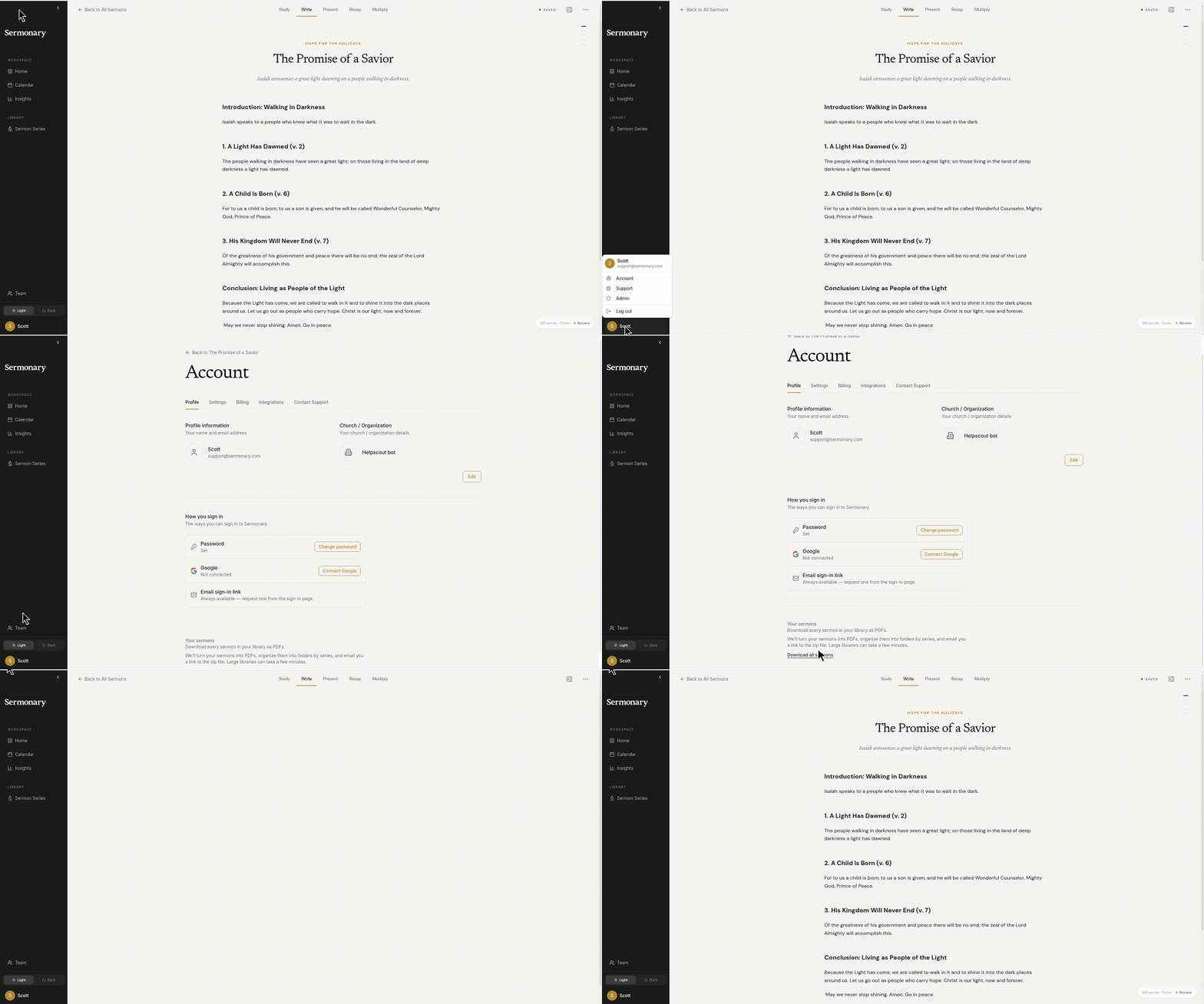
A PDF zip file is emailed to you.